
Workspaces
Separate brands or clients with different connected accounts and settings—without mixing libraries.
See it in action
Watch how separate workspaces keep each brand's accounts, library, and calendar isolated.
✨ One workspace per brand or client
A workspace is a self-contained environment: its own integrations, Library, Calendar, and team. Switch workspaces in the sidebar and everything in the dashboard updates—no mixed libraries or crossed wires between clients.
Workspaces
Manage multiple clients easily, each with their own dedicated environment
Give every brand or client its own integrations, Library, Calendar, and team—switch in the sidebar without cross-contaminating drafts or scheduled posts.
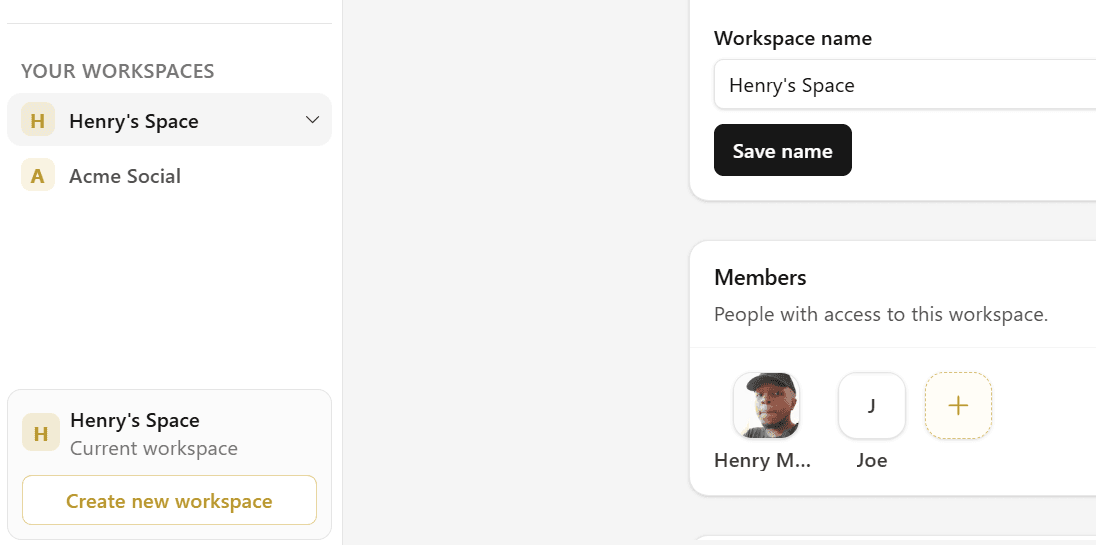
What each workspace holds
- Connected accounts — Instagram, TikTok, YouTube, Facebook, X, and Threads linked via Integrations
- Library — drafts, scheduled posts, and published jobs for that workspace only
- Calendar — editorial view for that workspace's accounts
- Team members — on paid plans, with roles that control access
Plan limits
| Plan | Included workspaces | Price |
|---|---|---|
| Free | 1 | $0/mo |
| Creator | 1 | $15/mo |
| Business | 5 | $30/mo |
Add extra workspaces on paid plans for $10/mo each. Free accounts must upgrade before purchasing add-on workspaces.
Frequently asked questions
Business workspaces support Admins and Members with different permissions. Publishing in one workspace never affects another.
Resources